One tree for everything
Site, building, floor, room: the register reads rooms from the same catalogue vehicles, drivers and devices use. A room is created once and is the same room everywhere.
Keep buildings, rooms and individual workspaces in one structure, then check availability for a specific period.
30 minutes, the real product, your workflow at the centre — free and non-binding.
Package: Resources add-on
How you use itCreate buildings, rooms and bookable units. Maintain equipment, capacity, fixed assignments and closures.
Search by period, building and capacity. Book an available desk or meeting room.
Process approvals according to site rules. Check out to release the workspace for another booking.
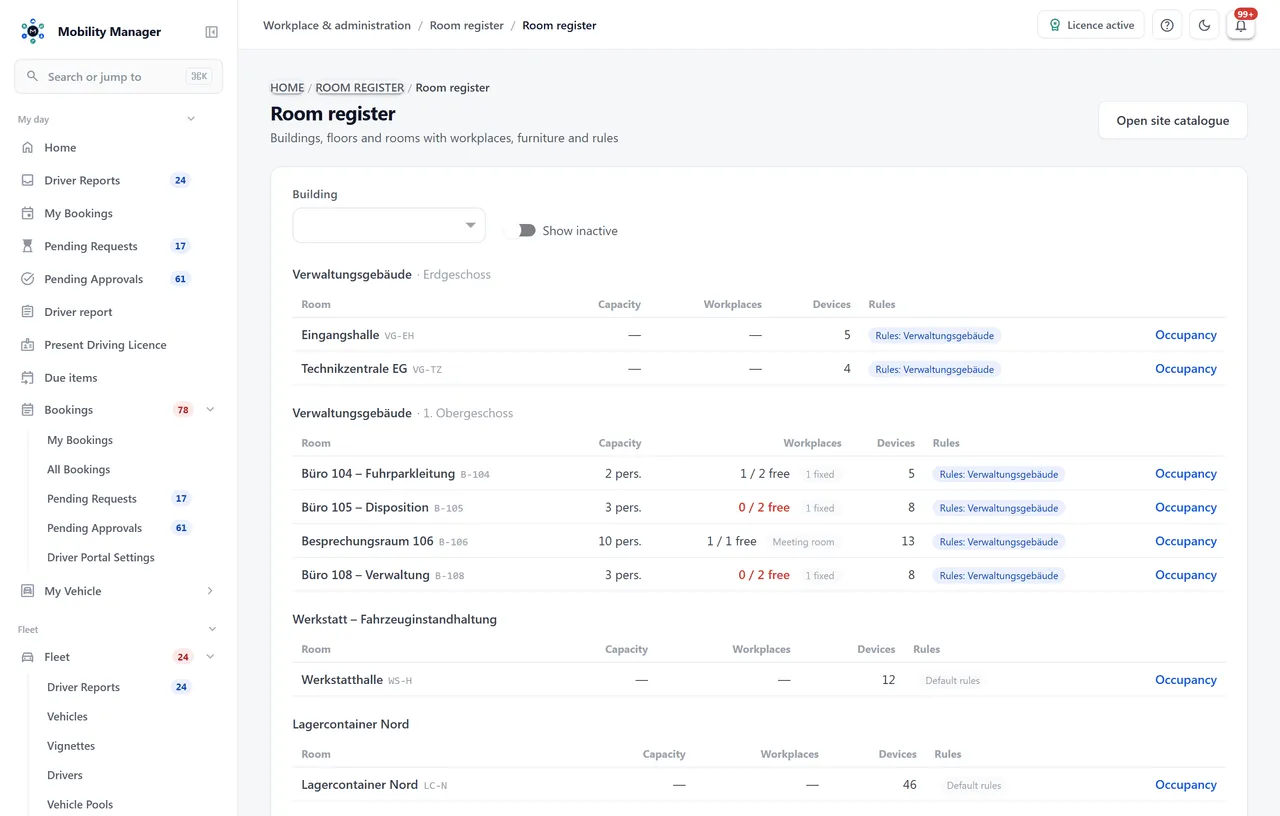
Room overview · Real product view with demo data
Site, building, floor, room: the register reads rooms from the same catalogue vehicles, drivers and devices use. A room is created once and is the same room everywhere.
Every desk, meeting room and workshop station is its own unit with a label, equipment and allocation. A whole numbered run is created in one step.
Pick a date and time window, optionally a building, room, kind or minimum capacity — the system shows only what is free for the whole window. Anyone who does not care which desk can have one assigned.
Booking horizon, maximum duration, approval, guest bookings and the default day window hang off the building or site. A room inherits the rules of the nearest node above it.
A permanently assigned desk never appears in a search and never counts as free capacity. Only the assigned person can reserve it.
A room for ten does not accept a booking for twelve. A search for “at least eight people” returns only rooms that seat them — never a desk.
Desks, chairs and pedestals are kept in device management as inventory and assigned to the room — without counting against the device or facility licence.
A timeline per workplace for the chosen day, plus peak occupancy per building for the coming weeks — the figure that shows Tuesday is getting tight before it is.
This page describes the module in detail. How the room register and desk booking are introduced — register first, booking second, with rules per building — is on the overview page
Room register with desk and meeting room bookingNo. Rooms are nodes of the site tree — the same catalogue vehicles are stationed in and devices are stored in. Anyone already maintaining the tree has their room register; the module adds the bookable units.
Only if you want them to. Booking rules are kept per building or site; a room inherits those of the nearest node above it. Without a rule of its own the defaults apply: day bookings, 30 days ahead, no approval.
Yes. A person holds at most one desk at a time — but the room they meet in that afternoon can be booked on top. That is a normal working day, not an abuse.
Per workplace. Every active unit — bookable, permanently assigned or out of service — consumes a licensed workplace; retired units release it. Furniture is independent and counts against no licence.
No, the two modules run independently. They share the site tree, the driver file and the roles — and the same booking logic, so a reservation behaves the same whether it holds a bay or a desk.
Tell us how you work today. We show you the relevant features in the real product, answer your questions about rollout, operations and licensing — and get back to you personally by email after your request to find a time that suits you.
Developed and supported in Erftstadt near Cologne, Germany. You talk directly to the team behind the software.
info@cloudkasten.net
+49 2235 978 979 0