On-site tanks
Tanks with level readings, status display and alerts below the minimum level.
Check quantities, costs and assignments, with stock tracking for your own fuel facilities.
30 minutes, the real product, your workflow at the centre — free and non-binding.
Package: Professional
How you use itEnter vehicle, date, quantity, price and odometer reading. Add the relevant fuel card, driver or cost centre.
Resolve implausible entries and make necessary corrections. Follow stock levels and warnings for your own fuel facilities.
Open consumption and cost reports for the chosen period. Compare actual costs with the recorded budget and export results.
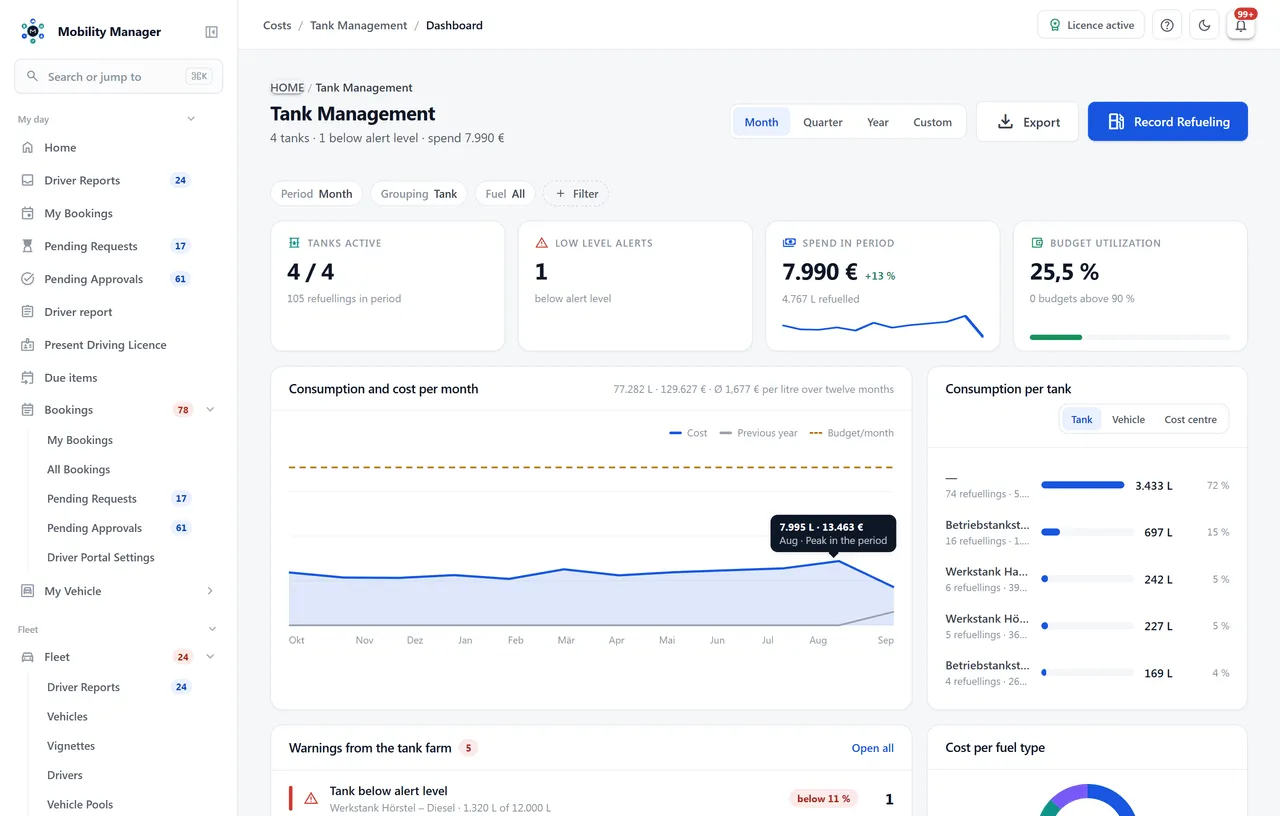
Fuel management overview · Real product view with demo data
Tanks with level readings, status display and alerts below the minimum level.
At the tank or on the road, with volume, price, odometer and fuel type — also as a driver submission from self-service.
Create cards, assign them to vehicles or drivers, and retire them when lost.
Prices carry validity, so historic refuellings stay valued at the price applicable at the time.
Set budgets per period and track utilization against actual consumption.
The shipped set applies to every installation; a tenant can rename an entry, add a billing unit or hide it from its own picker without changing anything for another tenant. A hidden entry disappears from the picker, not from the vehicles that carry it.
Every fuel and drive type shows how many vehicles use it and expands down to the licence plates. An entry in use is deactivated rather than deleted — and the response says which of the two happened.
Consumption report, cost analysis and budget-versus-actual, plus exports for refuellings, cards and tanks. Litres and kilowatt hours run as separate curves so a plug-in hybrid does not mix two units into one number.
Yes — the tank is only one part. Without an on-site tank you use fuel cards, refuellings, prices, budgets and consumption analytics; the tank features simply stay unused.
Yes, through the fuel card import module. It reads statement files, matches rows to vehicles and creates refuellings — including a dry run and an approval step before commit.
Then create them. Fuel and drive types are a catalogue every tenant overrides for itself: add your own entries, rename or hide shipped ones, with litres, kilograms or kilowatt hours as the billing unit. Other tenants on the same installation see none of it, and deleting your own row restores the shipped entry.
As a refuelling with the corresponding energy type. For home charging, drivers submit a charging receipt via the self-service portal; flat rates are configured per year for that.
Tell us how you work today. We show you the relevant features in the real product, answer your questions about rollout, operations and licensing — and get back to you personally by email after your request to find a time that suits you.
Developed and supported in Erftstadt near Cologne, Germany. You talk directly to the team behind the software.
info@cloudkasten.net
+49 2235 978 979 0