Report odometer
With a plausibility check against the last known reading — implausible values stand out immediately.
Mileage, damage or receipts are captured where they occur — right in the driver portal. Fleet management reviews and accepts with one click.
30 minutes, the real product, your workflow at the centre — free and non-binding.
Package: Both packages
How you use itThe driver chooses a submission type and vehicle. Add readings, a description or a receipt, with photos for damage where needed.
Administration processes the submission in its review queue. Request clarification when information is incomplete.
Accept a checked submission or reject it with a reason. Acceptance creates the corresponding business record.
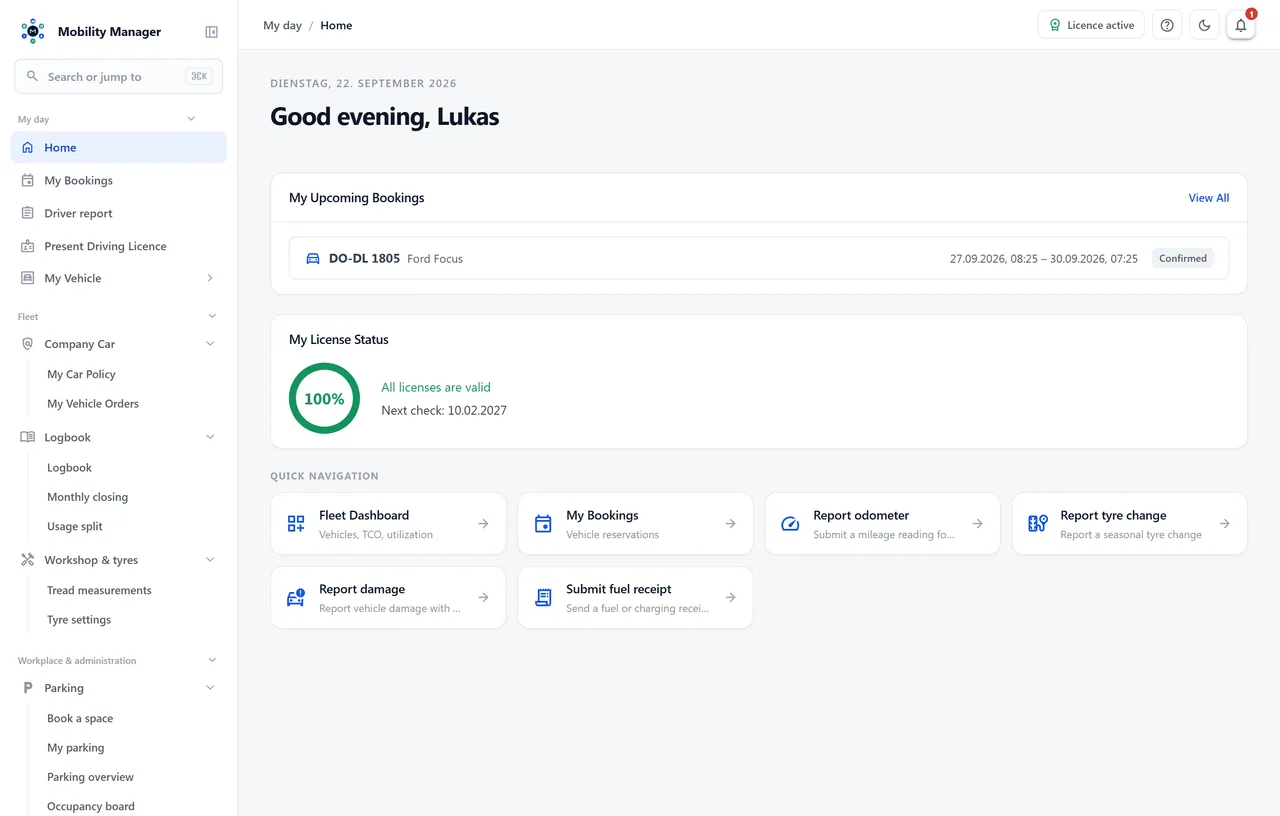
Driver portal home screen · Real product view with demo data
With a plausibility check against the last known reading — implausible values stand out immediately.
Document seasonal changes including odometer — the basis for tyre set and storage records.
With photo documentation straight from the phone. An accepted report becomes a case in damage management.
Including home charging: for home charging the system applies the flat rates configured per year.
Four queues with accept, reject with reason and request for clarification. A counter in the navigation shows what is open.
Where a ride is ordered rather than self-driven, a structured order form hangs off the booking request: department, departure location, travel purpose, contact and room, times, passengers, chauffeur or self-drive. Enabled per tenant.
Every field label of the driving-service order can be renamed tenant-wide — in German and English, addressed by field name. An empty label restores the shipped default. Departments, departure locations and travel purposes are catalogues of their own.
Reporting rights are separate permissions and can be granted independently of any administrative rights.
No. Submissions run in the browser on a phone — nothing to install, distribute or clear through an app store. That matters especially in public-sector environments.
Fleet management can reject it with a reason or ask for clarification. The driver sees status and questions under 'My submissions' and can cancel a submission themselves as long as it has not been accepted.
Only on acceptance. Until then the submission is a proposal; once accepted it becomes the vehicle's odometer reading, with its source recorded.
That is what the driving-service order is for: a form on the booking request with department, travel purpose, departure and return time, destination address and passengers. It can be edited in four places — the driver portal, the booking detail page, the booking overview and the request queue. Who may correct it is decided by the server: the driving service at any time, the requesting driver only while the request is still unassigned.
Tell us how you work today. We show you the relevant features in the real product, answer your questions about rollout, operations and licensing — and get back to you personally by email after your request to find a time that suits you.
Developed and supported in Erftstadt near Cologne, Germany. You talk directly to the team behind the software.
info@cloudkasten.net
+49 2235 978 979 0