34 reports in eight groups
Fleet, inventories, operations, costs, statistics, consumption, environment and forecast — with search across the catalogue and a direct link into every section.
Review utilisation, mileage or costs over a chosen period, then export the result for further work.
30 minutes, the real product, your workflow at the centre — free and non-binding.
Package: Both packages
How you use itOpen the report that answers your question, such as mileage, consumption or utilisation.
Apply the available filters. Review both the totals and individual rows before drawing a conclusion.
Export the report as Excel, PDF or CSV. The export includes the filtered data, not just the visible table page.
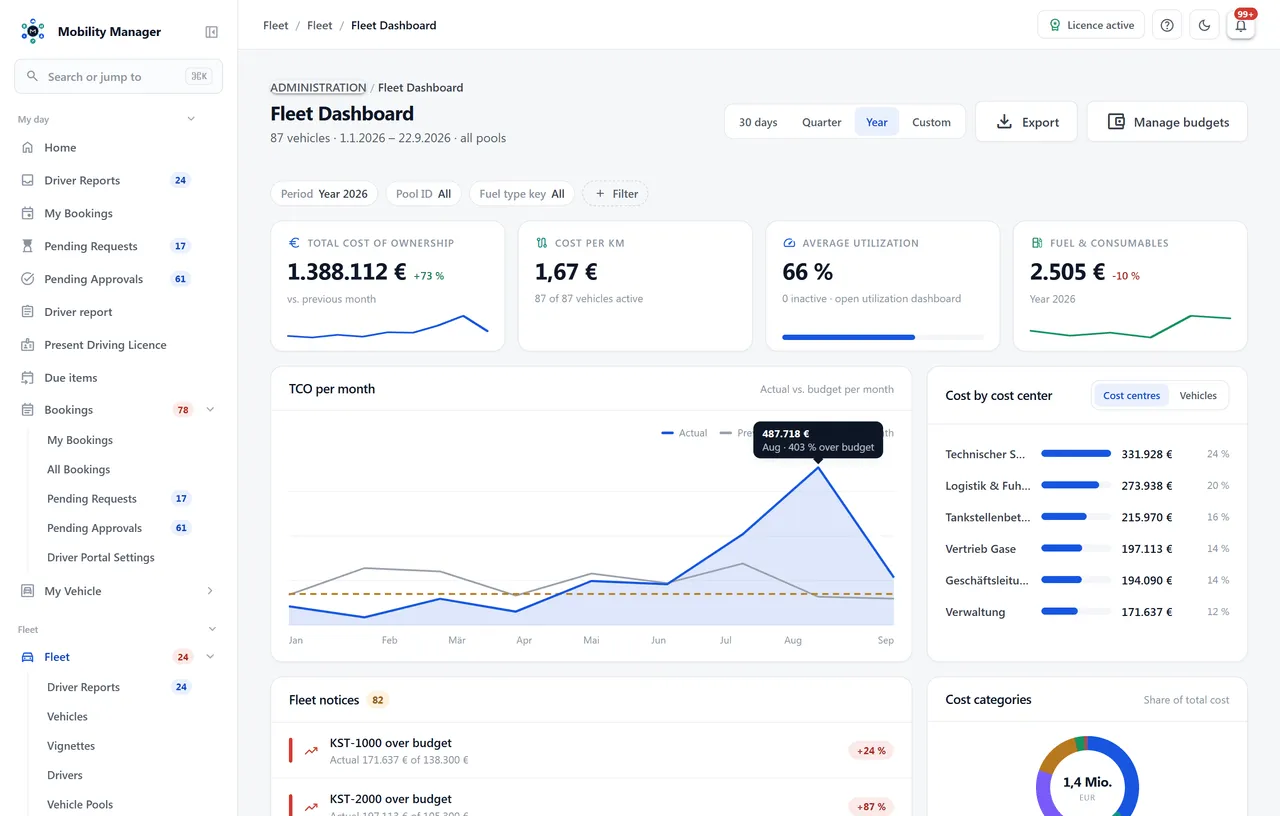
Fleet overview with metrics · Real product view with demo data
Fleet, inventories, operations, costs, statistics, consumption, environment and forecast — with search across the catalogue and a direct link into every section.
Cost per vehicle across every cost source, mileage per month, site costs, a year-on-year vehicle comparison and cost distribution by cost type.
Litres and kilowatt hours are never mixed: a plug-in hybrid produces two rows with their own distance and their own threshold, but is counted once. Averages are distance-weighted, and rows without measurable distance are dropped rather than shown as zero.
Real emissions from actual litres and kilowatt hours against the kilometres actually driven. Which factor was applied and where it comes from can be expanded inside the report; carbon pricing is charged on fossil tonnes only.
Utilization as actual against planned mileage, flagging both over-use and conspicuously low use. The fleet report consolidates inventory, usage, bookings and costs over any period you choose.
Excel with typed cells, autofilter and a frozen header row, PDF in landscape, CSV for further processing. The grid's column selection travels into the export.
Average consumption, cost per kilometre and utilization right inside the vehicle file — computed on read, with an as-of timestamp. A sold vehicle is marked frozen instead of presenting a dead forecast as a live one.
As the ratio of actual mileage to the vehicle's configured annual mileage. Vehicles crossing the warning threshold are flagged in the dashboard — both for over-use and for conspicuously low use. After an odometer swap the KPI uses lifetime mileage, not the reading of the new counter.
From three sources at once: recorded odometer readings, receipts and refuellings. Because the fuel card import writes the same reading into two tables, values are de-duplicated by vehicle, day and value before anything is computed.
Every report requires the reporting permission plus the read permission of the module whose data it shows. A user without contract rights is refused on the leasing report specifically, rather than being locked out of reporting altogether. With site-based data visibility active, every report and its export run over the same set of vehicles.
For the leasing mileage report, yes — it goes out as a consolidated e-mail to configured recipients as soon as vehicles run over or under threshold. General scheduled delivery of arbitrary reports is not implemented yet; until then reports are opened in the hub and exported.
Tell us how you work today. We show you the relevant features in the real product, answer your questions about rollout, operations and licensing — and get back to you personally by email after your request to find a time that suits you.
Developed and supported in Erftstadt near Cologne, Germany. You talk directly to the team behind the software.
info@cloudkasten.net
+49 2235 978 979 0