Rights, not role buckets
Permissions such as 'vehicles:manage' or 'belege:mark-paid' are granted individually. Each module brings its own rights.
Define which tenant and locations a person can work in, with permissions your team can review.
30 minutes, the real product, your workflow at the centre — free and non-binding.
Package: Both packages; multiple tenants with Professional
How you use itAssign users to the appropriate tenant. Configure a supported connection to your directory where needed.
Use system roles or custom roles with the necessary permissions. Limit location-based access to match the job.
Check the data visible under the intended user permissions. Follow recorded changes through the audit history.
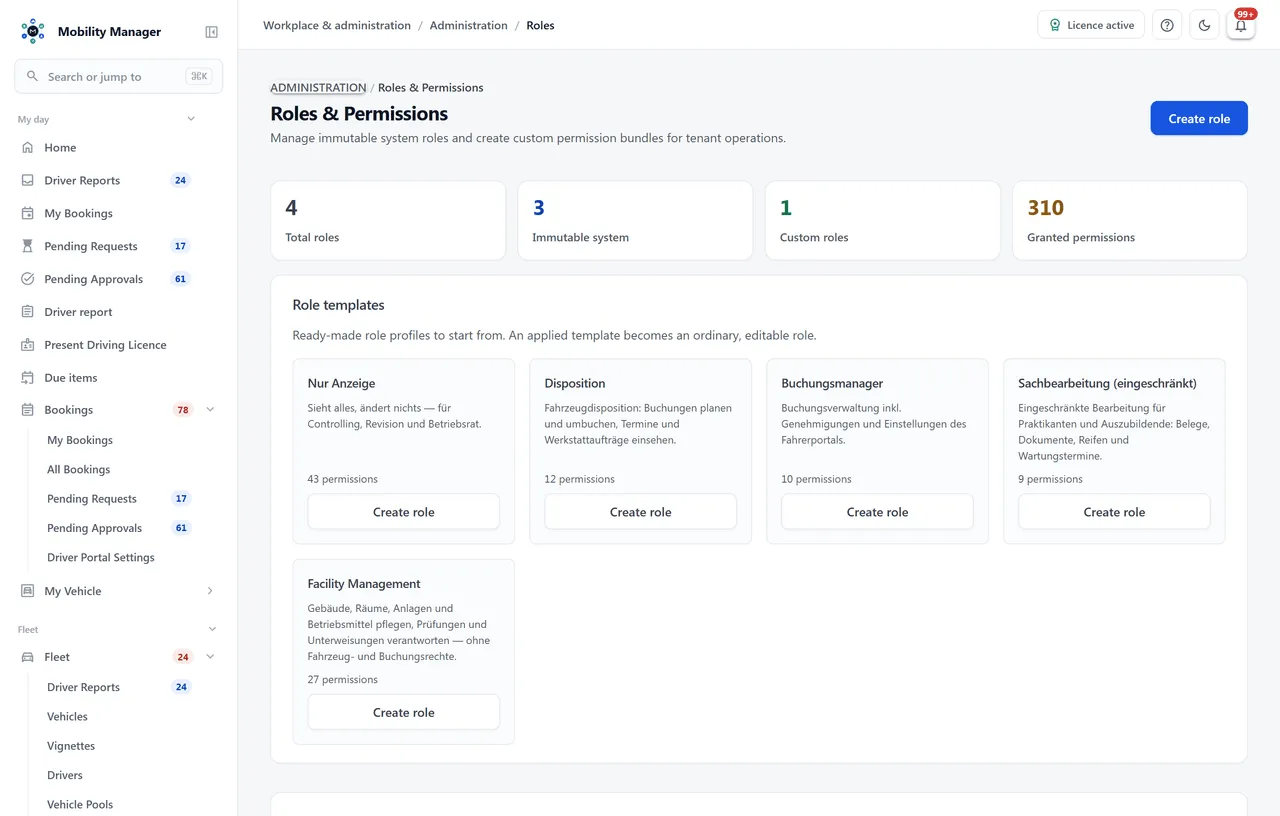
Role management view · Real product view with demo data
Permissions such as 'vehicles:manage' or 'belege:mark-paid' are granted individually. Each module brings its own rights.
Shipped roles (system admin, tenant admin, fleet manager, approver, driver) work out of the box; custom roles can be composed freely.
Subsidiaries, agencies or sites run in separate databases from one installation. A tenant switcher in the header moves between permission sets.
Inside a tenant, visibility can additionally be limited row by row: users are assigned sites, vehicles and driver files carry a site, and the boundary runs inside the database query — not as a filter in the interface.
There is no silent exemption for system administrators: no site assignment, no data. Administrative surfaces — the site catalogue, the user editor, tenant settings — stay unfiltered so nobody can lock themselves out.
Every data change produces an entry with user, timestamp and object — searchable and write-protected.
Access and erasure under Art. 15 and 17 are modelled as workflows; erasure is pseudonymization so operational history and retention duties survive.
OIDC against Azure AD / Entra ID, Keycloak or ADFS, so accounts are managed where they are managed anyway.
Yes. Alongside the shipped system roles you can create any number of custom roles with exactly the rights a position needs — for example a role that reviews receipts but cannot change vehicles.
No. Separation happens at the database level, not just as a filter in a query. A user with access to several tenants switches deliberately and then works exclusively in that tenant's context.
Yes, through site-based data visibility. It is switched on per tenant, users get their sites assigned in the user editor, and from then on lists, deep links, dashboards, reports and exports are limited to those sites. A second switch decides whether records without a site assignment stay visible. We ran the boundary through four independent adversarial reviews, because a visibility boundary is only as good as its weakest door — and where a guard cannot cover a class of error, our documentation says so.
Through pseudonymization: personal references are removed while operational records such as bookings or costs survive as anonymized entries. Retention periods are configurable and a background service cleans up expired data automatically.
Tell us how you work today. We show you the relevant features in the real product, answer your questions about rollout, operations and licensing — and get back to you personally by email after your request to find a time that suits you.
Developed and supported in Erftstadt near Cologne, Germany. You talk directly to the team behind the software.
info@cloudkasten.net
+49 2235 978 979 0