Attachments on all core objects
Vehicles, driver files, receipts, damage cases, traffic fines and licence workflows share one document layer.
Manage attachments across vehicles, receipts and cases through one document area instead of separate folders.
30 minutes, the real product, your workflow at the centre — free and non-binding.
Package: Both packages
How you use itUpload it to the appropriate vehicle or business record. Set its type and category to make it easier to find.
Add an updated file as a new version. Set a follow-up or expiry date where required.
Use the shared search or open documents from their record. Preview the file and check its version.
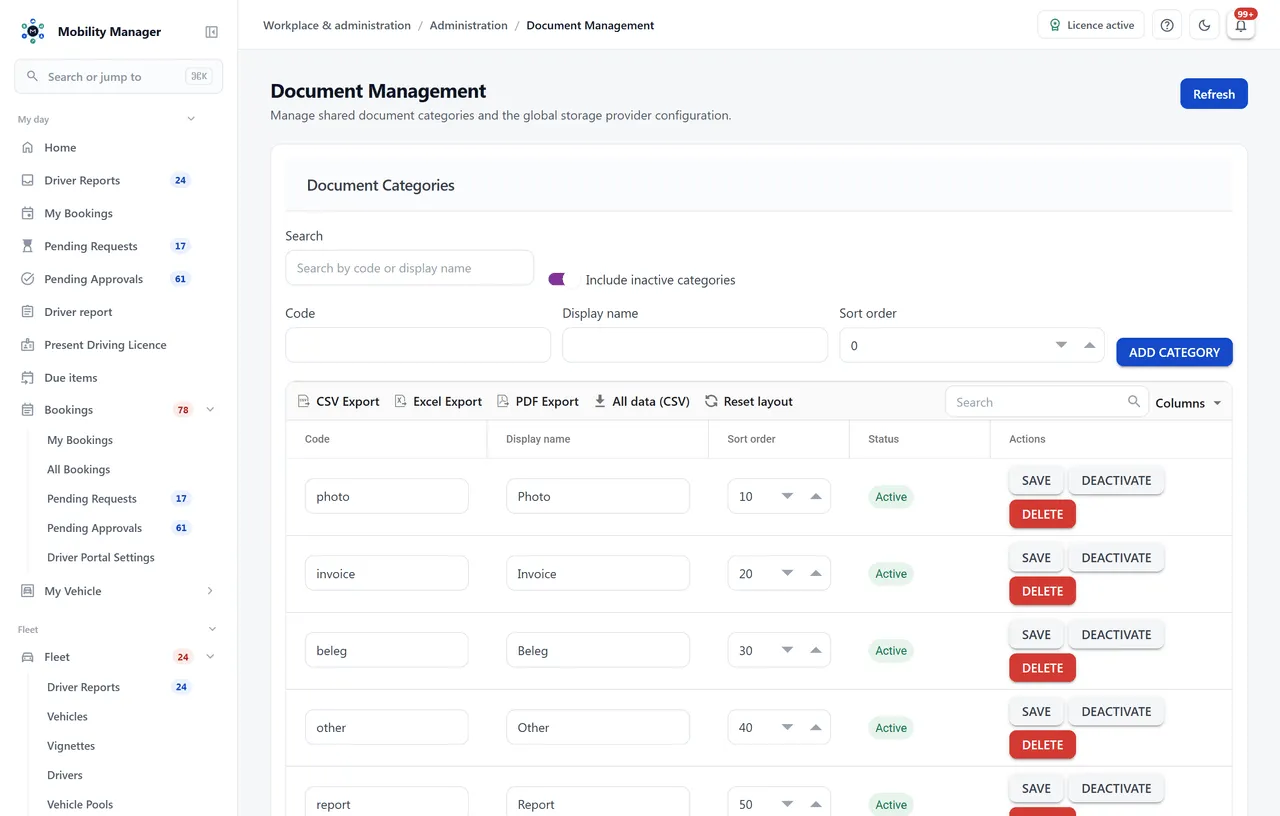
Document management view · Real product view with demo data
Vehicles, driver files, receipts, damage cases, traffic fines and licence workflows share one document layer.
One search across the whole stock — by title, document type, category, period and origin. It answers the same access question as the download: what you may not open does not appear as a hit either.
Besides title and category, documents carry a tenant-owned document type, a case reference, a document date and a resubmission date with a reminder.
Write from the vehicle or driver file, attach documents from that file, preview the template first. The history stays as an 'E-mails' tab on the record — with the text the recipient actually read.
New versions add rather than replace. Older versions stay retrievable — which matters when an expert report is corrected.
Document categories are configurable; local storage optionally files by tenant, area, plate and year and keeps original file names. Existing filings stay readable — both layouts coexist without a data migration.
Documents can be viewed in the interface without copying them onto local machines.
The storage location is configured per installation — file system, network share or object storage. There is no mandatory cloud and no vendor access to your files.
Wherever you configure — on the server's file system or an attached network share inside your infrastructure. MobilityManager never sends documents to the vendor.
Access runs through two permissions (view and manage) plus permission on the parent object. If you may not see a damage case, you do not see its expert report either. With site-based data visibility switched on the same boundary applies — enforced in exactly one place for search, preview, download and e-mail attachment, so the same file cannot answer 403 at one door and 200 at the next.
Through the tenant-wide search. It covers the whole stock across every association type — vehicle, driver, receipt, damage, fine, licence — and filters by document type, category, period and origin. Every hit names the record the document hangs off.
For fleet paperwork, yes. It is not an enterprise-wide document management system — the goal is that every fleet document sits with the right vehicle, case or receipt and stays findable.
Tell us how you work today. We show you the relevant features in the real product, answer your questions about rollout, operations and licensing — and get back to you personally by email after your request to find a time that suits you.
Developed and supported in Erftstadt near Cologne, Germany. You talk directly to the team behind the software.
info@cloudkasten.net
+49 2235 978 979 0