Capture with line items
Receipts with line items, cost centre, VAT rate and the receipt document attached.
Keep line items, documents and clarification in one workflow, with outstanding review issues visible.
30 minutes, the real product, your workflow at the centre — free and non-binding.
Package: Professional
How you use itRecord the document details and attachment. Add amounts and the required financial assignments for each line.
Submit the document for review. Address rule findings, resolve questions and explain any required warning overrides.
Have an authorised reviewer approve the checked document. Record payment and export the relevant data for further processing.
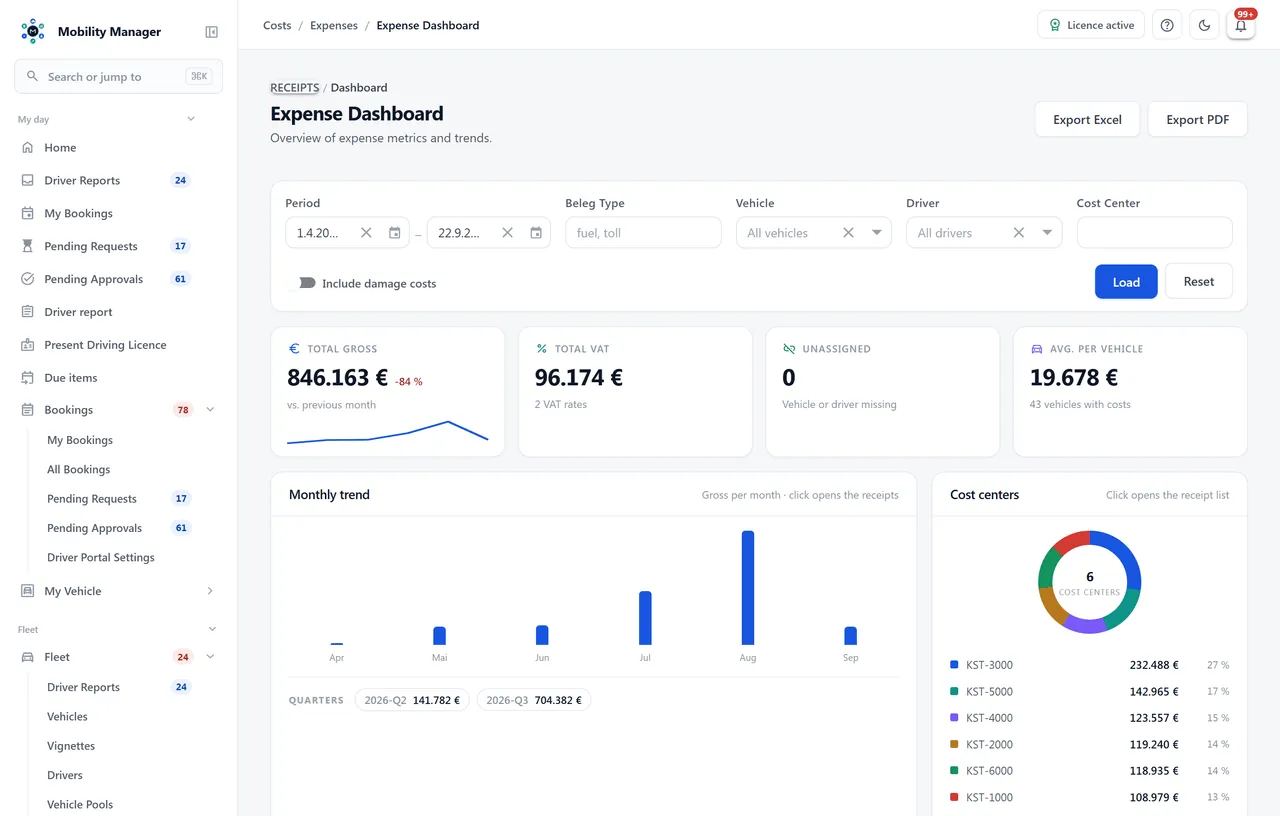
Expense document dashboard · Real product view with demo data
Receipts with line items, cost centre, VAT rate and the receipt document attached.
Duplicate detection, fuel mismatch, mileage plausibility, missing cost centre and missing VAT rate — each as info, warning, blocker or off.
Start review, approve, request clarification, reject or mark as paid — with a counter of open receipts in the navigation.
Separation of capture and approval is a stored policy and is enforced visibly in the workflow.
Read cost lists from accounting or a supplier as CSV: map the columns, check the preview, assign rows to a vehicle individually or in bulk, re-validate — and only then commit. Approving a run is a permission of its own, separate from reading the file.
Financial corrections are a dedicated, logged operation — the original value stays traceable.
A draft never influenced a cost figure and may disappear — with an audit entry written before the deletion. An approved or paid receipt gets a linked counter-entry instead; both records drop out of every total while the audit trail keeps them.
A receipt can be reassigned to another vehicle or cost centre and split into up to five parts. The net share is computed proportionally and the rounding remainder pushed onto the last part — so the parts add back up to the original amount, to the cent.
Fleet-wide costs without a vehicle are flagged as overhead, which distinguishes them from 'not yet assigned'. Travel expenses run as their own record: business and private kilometres separately, a per-kilometre rate, meal and overnight allowances, with CSV export.
Export jobs with history and download plus a compliance view with the complete audit trail.
Yes. Every rule is set per tenant to off, info, warning or blocker. Cost centre and VAT obligations are configuration, not hard-wired behaviour.
The approval mode is configurable per tenant. In the lean variant a receipt moves to paid without a separate review stage; logging stays identical in both variants.
Yes, duplicate detection is one of the shipped rules. How strictly it applies — info, warning or blocker — is your configuration decision.
That is what the cost import is for. You upload the file, map the columns and get a run with a preview: which rows match a vehicle, which do not, which violate a validation rule. Rows can be assigned or excluded individually or in bulk; only approving the run creates receipts. A run can be cancelled in full, and every row knows which run it came from.
Yes, by splitting it into up to five parts. The net share is computed proportionally and the rounding remainder pushed onto the last part, so the parts add back up to the original amount to the cent; the original line items move into the audit trail beforehand. A receipt that simply sits on the wrong vehicle gets reassigned instead.
Tell us how you work today. We show you the relevant features in the real product, answer your questions about rollout, operations and licensing — and get back to you personally by email after your request to find a time that suits you.
Developed and supported in Erftstadt near Cologne, Germany. You talk directly to the team behind the software.
info@cloudkasten.net
+49 2235 978 979 0