Provider files, generic CSV, XML and JSON
The provider is recognized from the file itself. Column names run through an alias table so 'Card no.' and 'Card number' are the same column — instead of failing a real statement on a mandatory-column check.
Read files, resolve mappings and review exceptions through a traceable import run.
30 minutes, the real product, your workflow at the centre — free and non-binding.
Package: Professional
How you use itRead a supported provider file or generic format. Use the appropriate template and field mapping.
Check vehicle matching, duplicates and rule findings. Resolve unclear rows and provide a reason where a warning override requires one.
Import approved rows and check the run result. Follow up on any records held for further review.
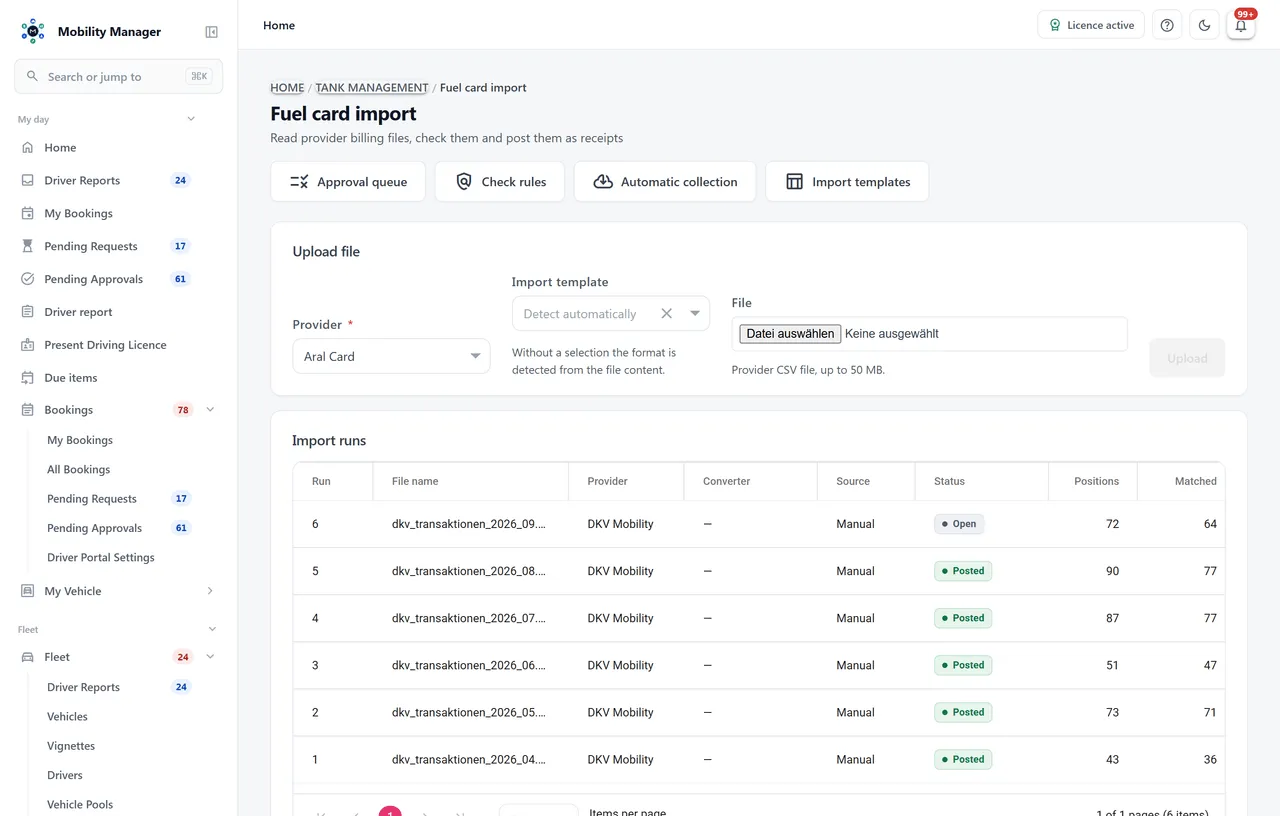
Fuel-card import view · Real product view with demo data
The provider is recognized from the file itself. Column names run through an alias table so 'Card no.' and 'Card number' are the same column — instead of failing a real statement on a mandatory-column check.
For files no shipped parser knows, you create a template: your columns onto the import's fields, maintained once and reused on every later run.
By card number, licence plate and partial card numbers. Ambiguous means unmatched — nothing is guessed. Driver and cost centre come from the file, falling back to the assigned driver or the vehicle.
Fifteen rules, each set to off, info, warning or blocker — among them unmatched vehicle, unknown card, odometer regression, implausible volume, a refuelling outside business hours and a duplicate transaction. Out of the box only the missing vehicle match holds a row.
Held rows land in their own queue and are released or rejected individually or in bulk — each with a reason. A row is decided exactly once, and the triggering rule hits are logged with it so a later threshold change does not rewrite the old case.
Instead of uploading every file by hand, the system fetches it from an IMAP mailbox or an FTP account — per tenant, with a test button, error display and file name filter.
Every row carries a stable key, so reading the same statement twice does not post it twice. A run can be cancelled or re-run, and an audit trail records per run who decided what and when.
Charging sessions are posted in kilowatt hours, not litres. Foreign refuellings carry their country, and the VAT rate is checked against the rate in force in that country on that day.
Then you create an import template and map your file's columns onto the import's fields once — for CSV, XML or JSON. Because the software runs on your infrastructure, a provider-specific parser can additionally be added as part of a customization project.
The import runs in two stages: first a dry run that only analyses and evaluates the rules, then a deliberate commit. Only rows that are either unremarkable or explicitly released get posted. Rows without an unambiguous match are held, not guessed.
That is a permission of its own, separate from the right to post an import. The reason is simple: moving a threshold silently changes what every future import lets through. Before saving, a changed rule can be simulated against an import that already ran.
Posted rows become a receipt and a refuelling — with vehicle, driver, cost centre, volume, price and fuel type. The highest imported odometer reading is additionally carried onto the vehicle; a backwards reading is silently discarded: the refuelling stays valid, only its odometer value is unusable.
Tell us how you work today. We show you the relevant features in the real product, answer your questions about rollout, operations and licensing — and get back to you personally by email after your request to find a time that suits you.
Developed and supported in Erftstadt near Cologne, Germany. You talk directly to the team behind the software.
info@cloudkasten.net
+49 2235 978 979 0