Device master with inventory number
Number ranges to your scheme, lookup by inventory number and a printable label per device.
Track devices by inventory number, including issue, return, defects and associated contracts.
30 minutes, the real product, your workflow at the centre — free and non-binding.
Package: Resources add-on
How you use itCreate the device with its inventory number, type and relevant master data. Print an identification label where needed.
Document who receives the device and when it comes back. Record reported defects against the device.
Review usage and defect history. Track service or supply contracts and their deadlines, and retire devices when appropriate.
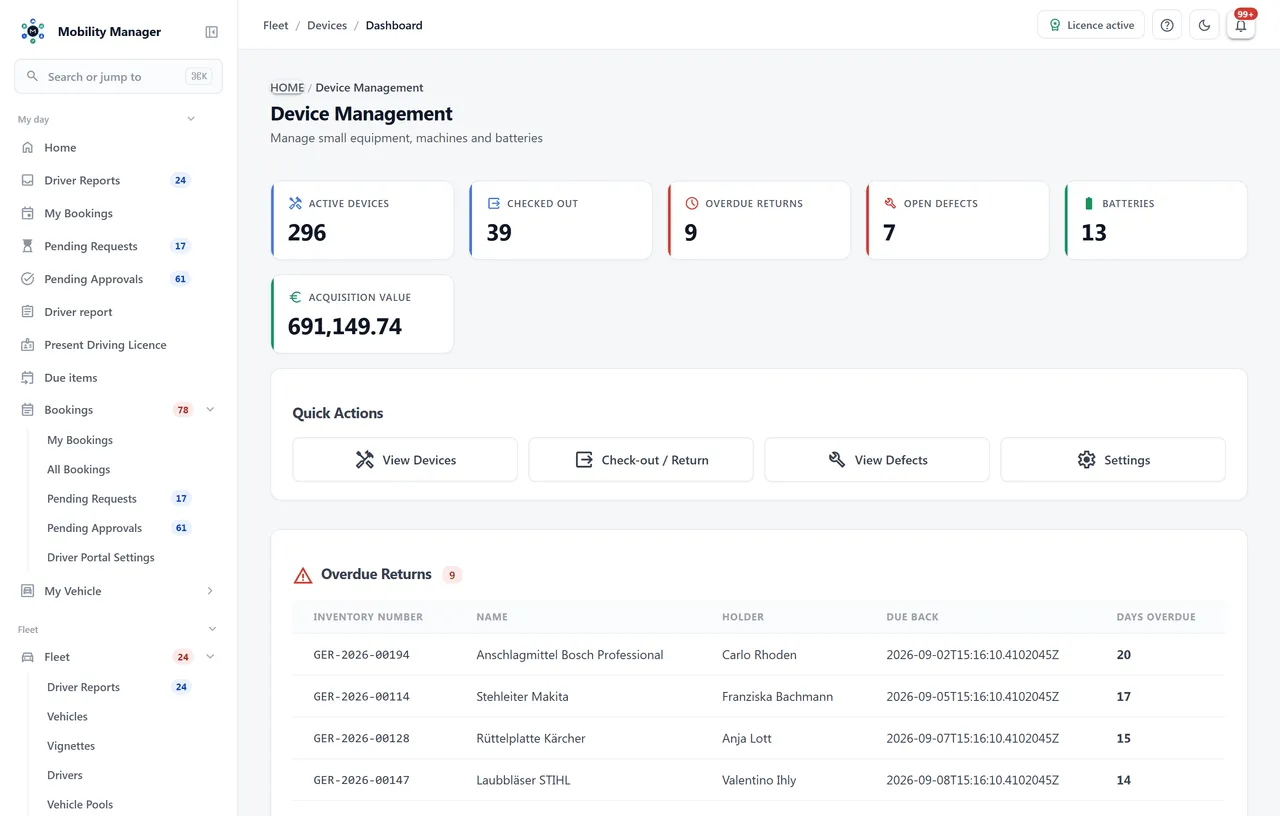
Device management overview · Real product view with demo data
Number ranges to your scheme, lookup by inventory number and a printable label per device.
Issue devices to staff, record returns and see overdue returns on the dashboard.
Document defects with severity and status so faulty equipment is not issued again.
Batteries as first-class objects with chemistry and condition — wear parts that usually stay entirely undocumented.
Device types, manufacturers and locations are maintained by you and match your organization.
Retired devices are decommissioned and can be reactivated; the history is preserved.
Mobile, maintenance or rental contract per device with provider, tariff, contract number, minimum term, monthly cost and notice period — right in the device file.
Automatic reminders 90, 60, 30, 14 and 7 days before the notice period closes. Contract costs feed monthly into device costs and — for vehicle-mounted devices — into the vehicle TCO.
Because rights, master data and processes differ. A storekeeper should be able to issue small equipment without access to the vehicle fleet — which is why device permissions are deliberately separate from vehicle permissions.
Yes. Issue and return are dedicated operations; the dashboard shows issued devices and overdue returns.
Equipment management handles individually identifiable devices. Warehouse management handles quantities: spare parts, consumables, supplies. Both come together in stocktaking.
Yes. Every device can carry supply and service contracts — a tablet's mobile plan, for instance — with provider, tariff, term, monthly cost and notice period. Before the notice period closes the system reminds in stages from 90 down to 7 days ahead, and contract costs appear monthly in device costs or the vehicle TCO.
Tell us how you work today. We show you the relevant features in the real product, answer your questions about rollout, operations and licensing — and get back to you personally by email after your request to find a time that suits you.
Developed and supported in Erftstadt near Cologne, Germany. You talk directly to the team behind the software.
info@cloudkasten.net
+49 2235 978 979 0