A kilometre rate and two allowances
Business kilometres times rate, plus meal allowance and overnight allowance. Trip duration in hours sits alongside, because it determines the meal allowance.
Keep business mileage, applied rates and allowances with each journey, then prepare the records for settlement.
30 minutes, the real product, your workflow at the centre — free and non-binding.
Package: Both packages
How you use itEnter date, driver, vehicle and destination. Add odometer readings, duration and business versus private mileage.
Review the mileage rate and applicable allowances. Record any necessary alternative amount explicitly on the journey.
Filter journeys for the required period and check totals. Export the data as CSV for further processing.
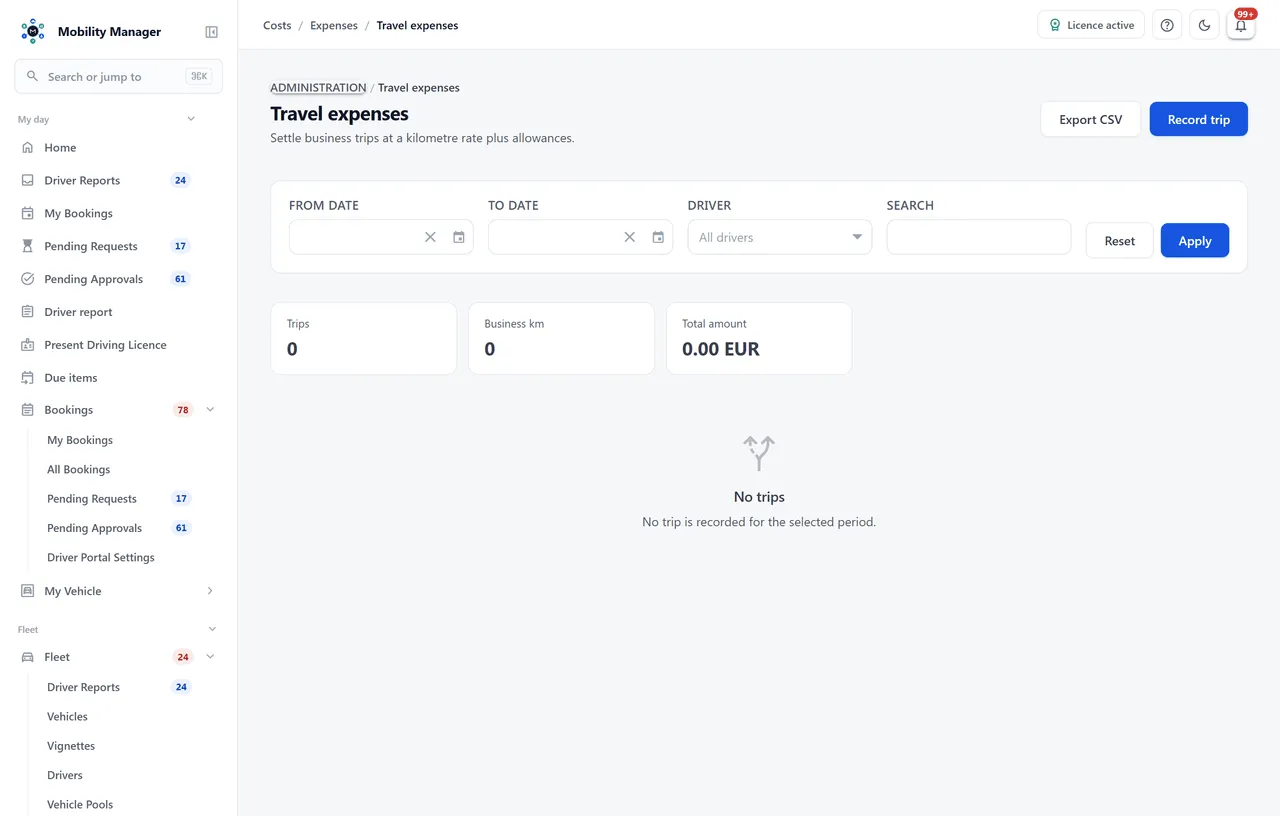
Travel expense overview · Real product view with demo data
Business kilometres times rate, plus meal allowance and overnight allowance. Trip duration in hours sits alongside, because it determines the meal allowance.
A default rate (shipped at €0.30 per kilometre) pre-fills new trips. The currency follows the tenant currency rather than a fixed setting in code.
The rate used is written onto the record. Changing the default later leaves settled trips untouched — history beats recalculation.
If the kilometres entered do not match the difference between start and end odometer, the system says so and offers to adopt the odometer difference.
Private kilometres are carried along but do not increase the reimbursement. Total distance follows from both and is never stored twice.
A manually set total beats the calculation — visibly marked as such, and resettable to the computed value at any time.
Filter by period, driver and free text; the list reports trip count, business kilometres and total amount across the filtered set.
The filtered list exports as CSV — with every column, not just the page on screen.
No, and the two should not be confused. The logbook records the trip for tax purposes — complete, immutable, in closed form. Travel expenses record what is reimbursed for it. The same trip can appear in both; only one of them produces a payout figure.
No — deliberately not. The list is a settlement basis for payroll and therefore stays editable. If you need approval with four-eyes review, a rule engine and an audit trail, book the cost as a receipt in receipt management instead.
Not in this module: it is a back-office view with its own view and edit rights. Driver-side submissions — odometer, fuel receipt, damage, tyre change — go through driver submissions.
Only within their data scope. Every trip hangs off a vehicle, and through the vehicle the same site-based visibility applies as everywhere else in the application.
Tell us how you work today. We show you the relevant features in the real product, answer your questions about rollout, operations and licensing — and get back to you personally by email after your request to find a time that suits you.
Developed and supported in Erftstadt near Cologne, Germany. You talk directly to the team behind the software.
info@cloudkasten.net
+49 2235 978 979 0